PanelAgent
Sessions of an agent
A session is one model run: a cycle of the monitor, an attempt of the executor at a task, or a summary. The list shows how long each took and what it cost, and the transcript what the agent did in it.
Step 1: Look through the sessions
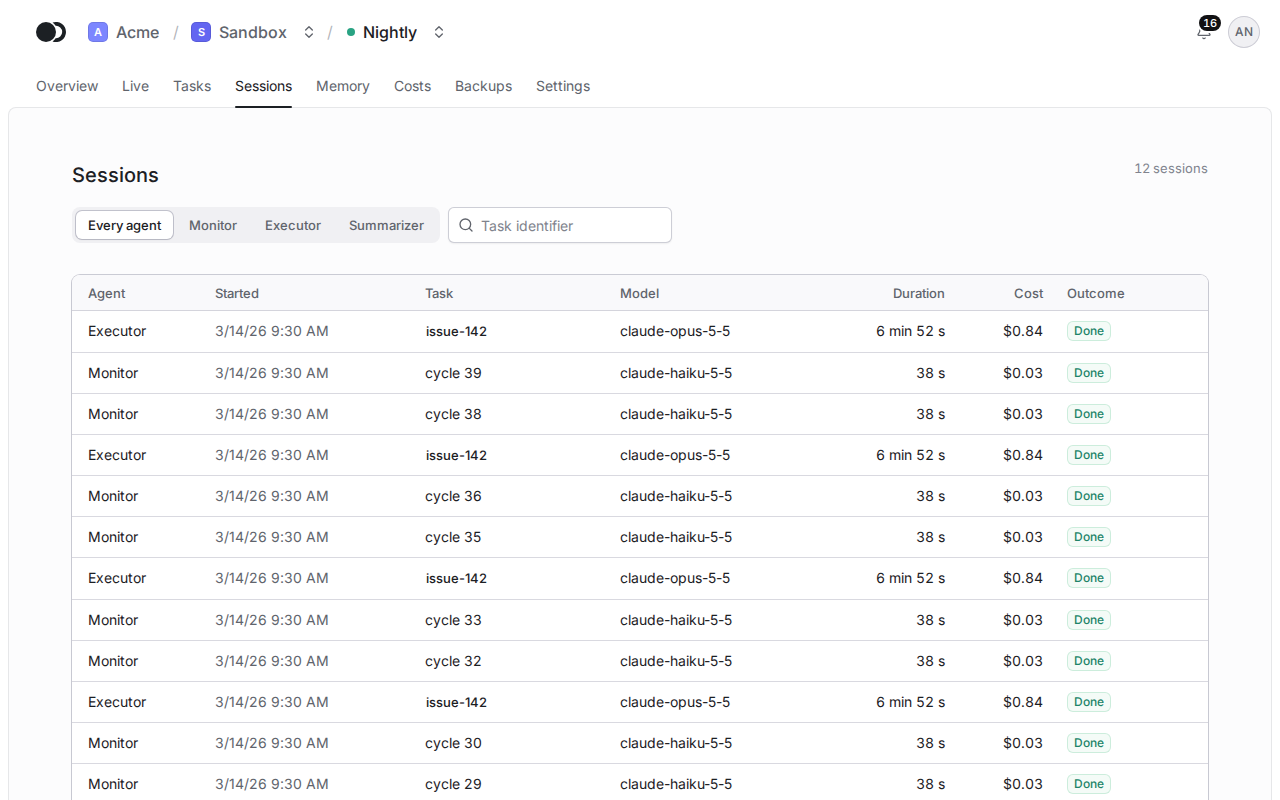
Click the Sessions tab. Each row has its Agent, Started, Task, Model, Duration, Cost and Outcome. The switch above the list narrows it to one role, and the Task identifier field to the sessions of one task.
Step 2: Read the transcript
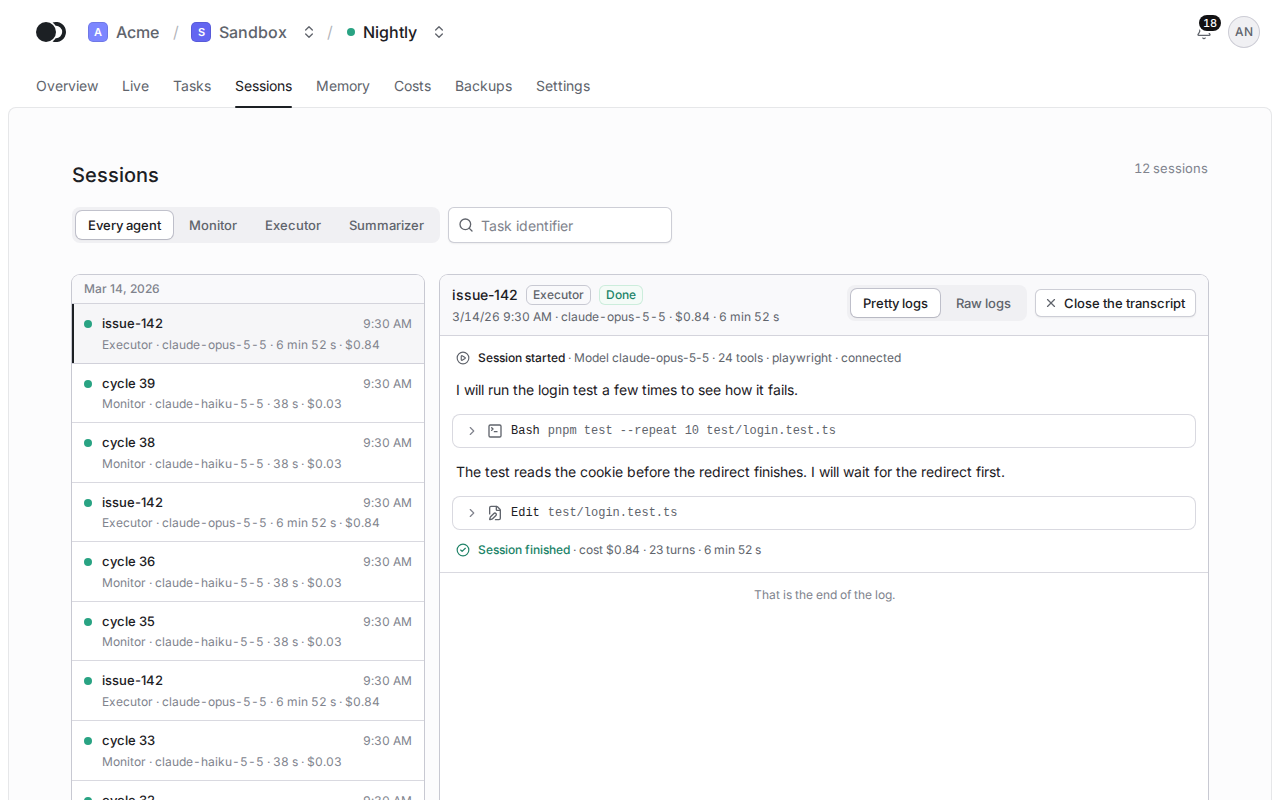
Click a row to open the transcript of the session: the messages of the assistant, the tool calls with their results, and the result with the cost and the number of turns. The Log view switch turns the conversation (Pretty logs) into the lines of the log (Raw logs), as on the Live tab. Close the transcript takes you back to the list.
A failed session shows the reason under its outcome, and a killed one says what killed it. A transcript is missing when the log was pruned, or while the node of the agent is not connected to the platform.
Matches the panel at cloud.kikimora.dev.