PanelOrganization
Claude accounts
The agents work on the Claude accounts of the organization: Claude subscriptions or Anthropic API keys. Each project builds its queue from them in the project settings.
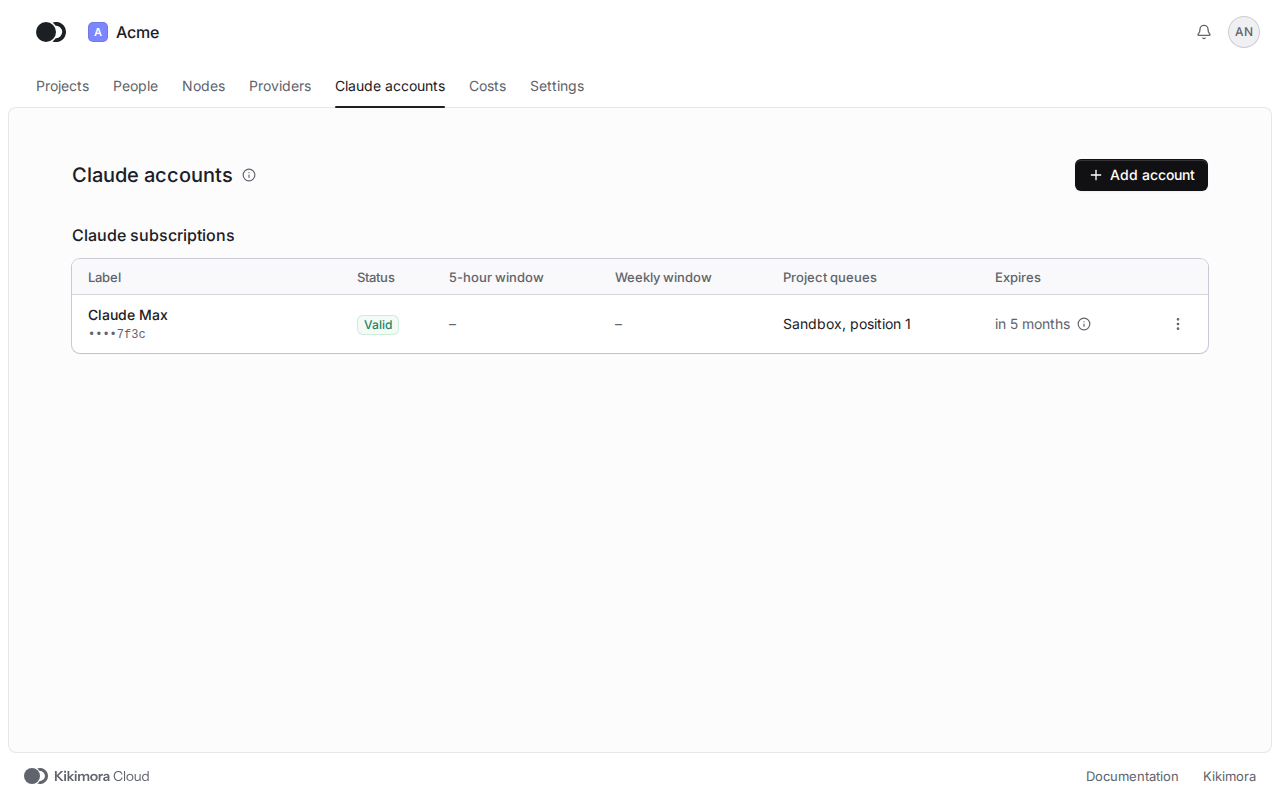
Step 1: Open Claude accounts
Click Claude accounts in the header of the organization. Claude subscriptions show the Status of the verification, the usage of the 5-hour window and the Weekly window, the Project queues the account stands in, and the expiry of the token. Anthropic API keys have no limit windows.
Step 2: Add an account
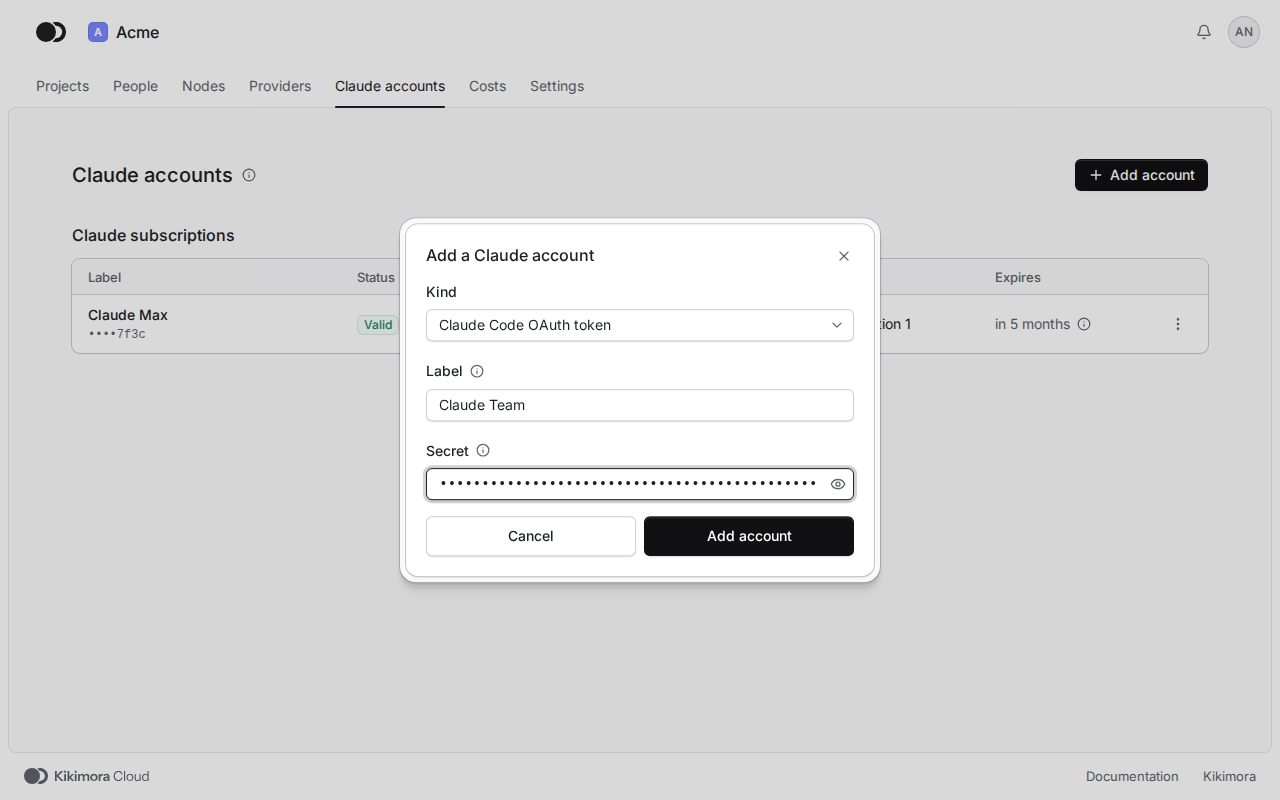
Click Add account. In Kind, pick Claude Code OAuth token, the subscription token from claude setup-token, or Anthropic API key. Type the Label, paste the Secret and click Add account. The secret is stored encrypted, and only its last four characters stay readable.
Step 3: Verify and refresh the usage
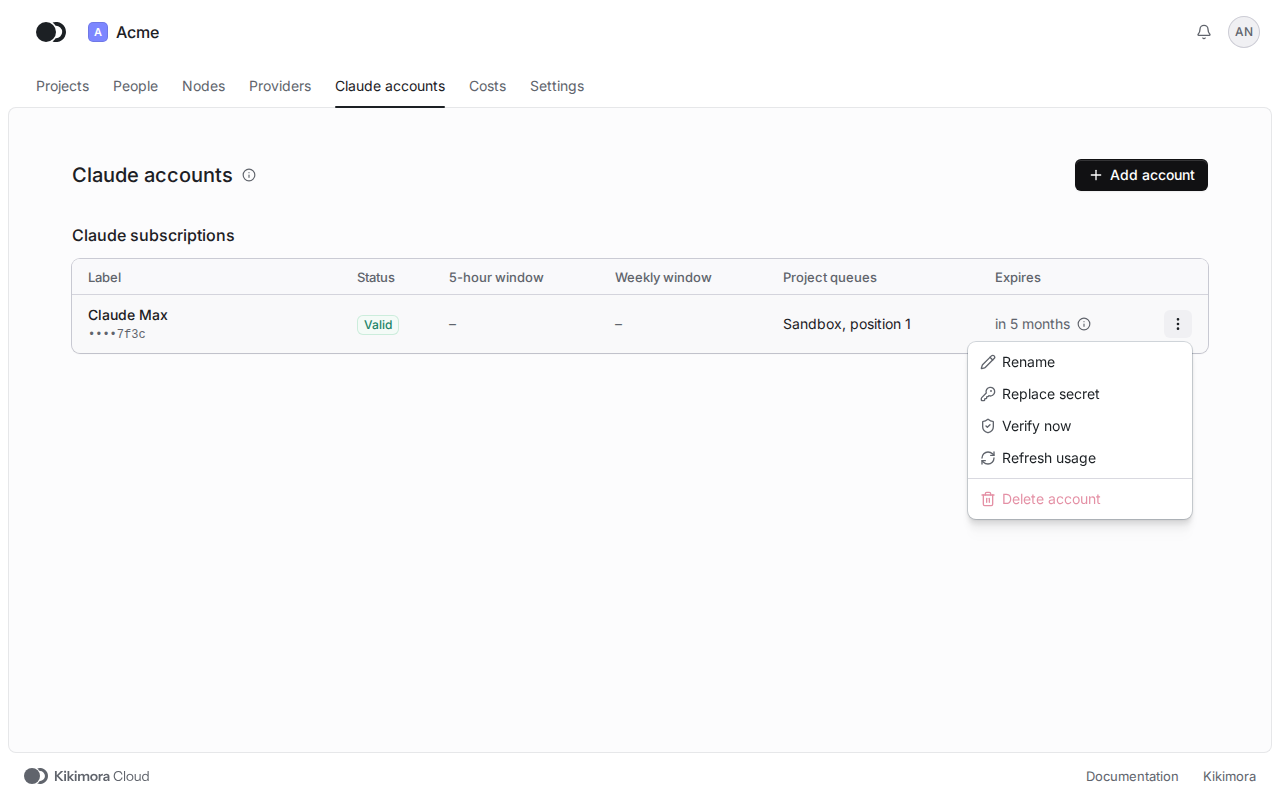
The platform verifies a new account on its own. The menu of the row also has Verify now, Refresh usage for a subscription, Rename, Replace secret and Delete account. You cannot delete an account that stands in the queue of a project until you remove it from that queue.
An agent works on the first account in the queue of its project that has limit left. When the usage of a window passes the switching threshold in the organization settings, the agent moves to the next account between tasks.
Matches the panel at cloud.kikimora.dev.