PanelProject
Repositories
An agent clones only the repositories registered in its project. A repository can live on GitHub, GitLab or Bitbucket, a server of your own included, and the platform reads it with a token of the Credentials tab.
Step 1: Open the Repositories tab
In the project, open the Repositories tab. The list gives the provider and the server, the default branch, the visibility, the credential and the status of each repository.
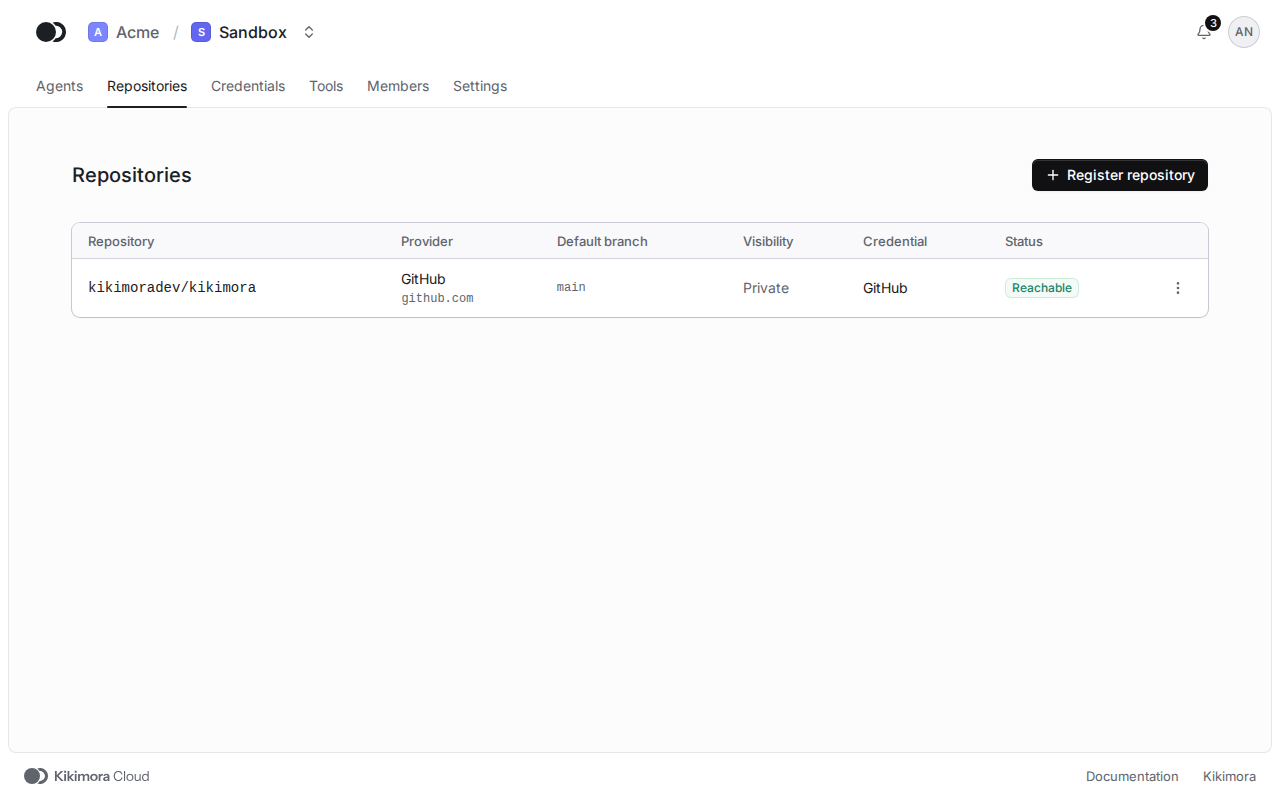
Step 2: Register a repository
Click Register repository and pick a token under Provider token. The provider and the server follow from the token. Pick the repository on the list the token sees, or enter the path yourself, then click Register repository.
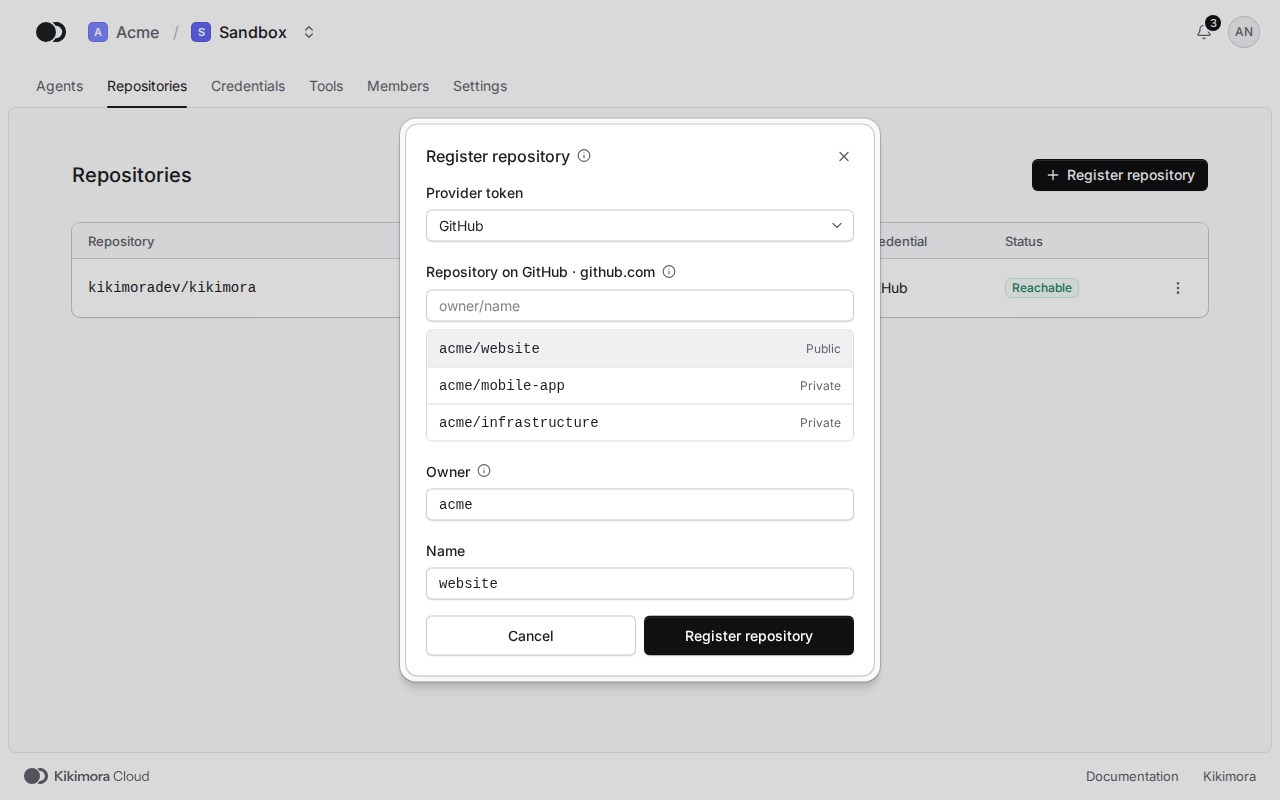
The path depends on the provider. On GitHub it is the Owner and the Name (acme/website), on GitLab the Group with its subgroups and the Name (platform/backend/api), on Bitbucket Cloud the Workspace and the Name, and on Bitbucket Data Center the Project key and the Name (OPS/deploy).
Step 3: Check, change or remove
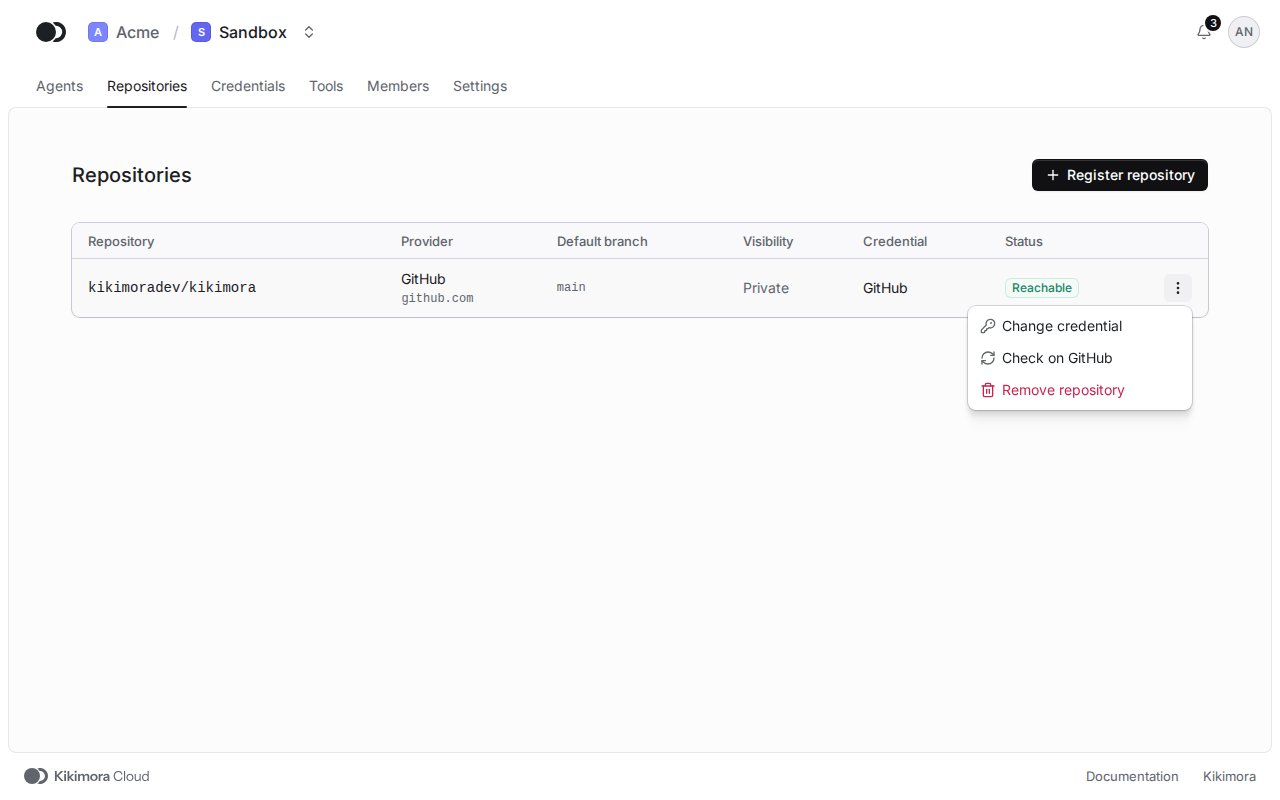
The row menu has three items. Check on GitHub (on GitLab, on Bitbucket) reads the repository again, for example after a rename. Change credential moves the repository to another token of the same provider and server, and Remove repository takes it out of the project once no agent uses it.
Matches the panel at cloud.kikimora.dev.