PanelOrganization
Provider accounts
A provider account lets the platform create, resize and delete nodes on DigitalOcean with an API token of the account of your organization. The droplets and volumes are billed to that account.
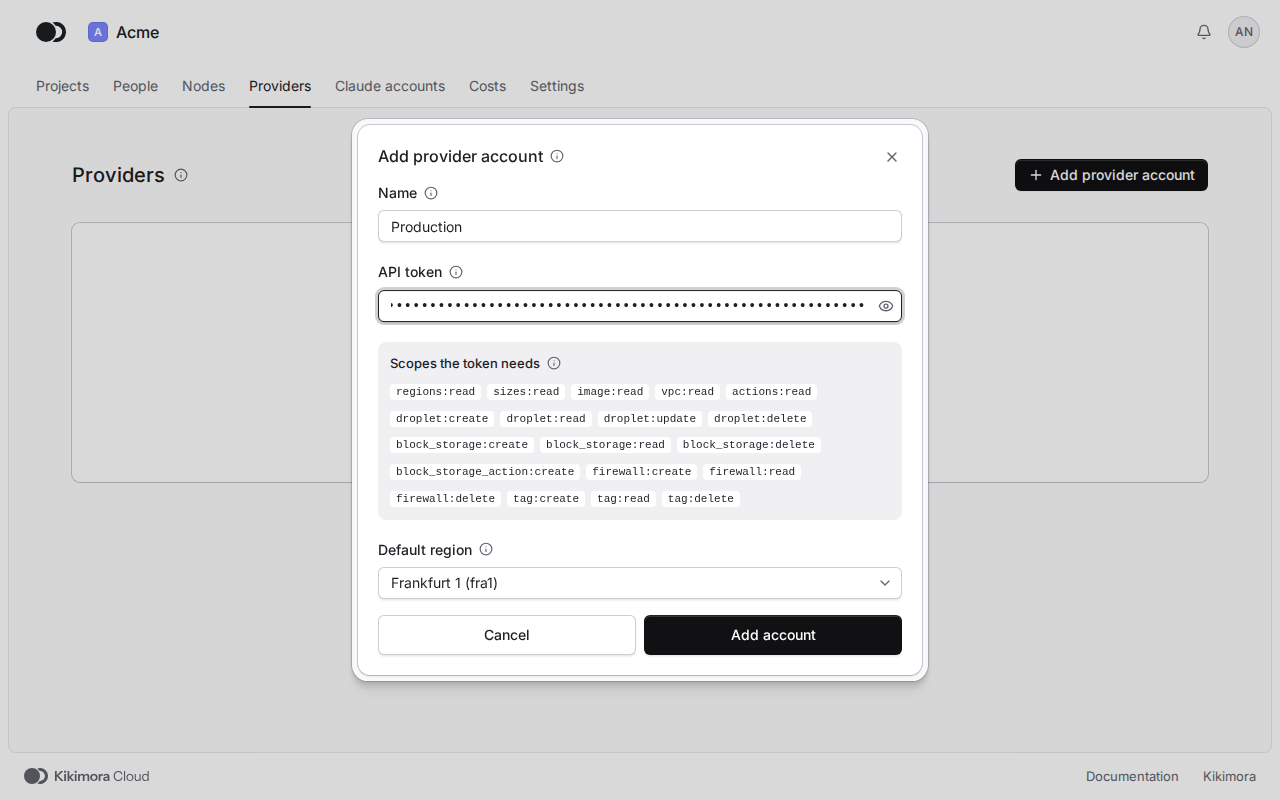
First, open API in DigitalOcean, generate a token with custom scopes and grant it the scopes the panel lists in the dialog that adds an account.
Step 1: Add an account
Click Providers in the header of the organization, then Add provider account. Type the Name, such as Production, paste the API token and pick the Default region of new nodes. Click Add account. The platform checks the token with DigitalOcean before it saves the account, and never shows it again.
Step 2: Check the list of accounts
The table shows the provider, the default region, the result of the Last check of the token and the number of nodes of each account. Click the name of an account to open its page.
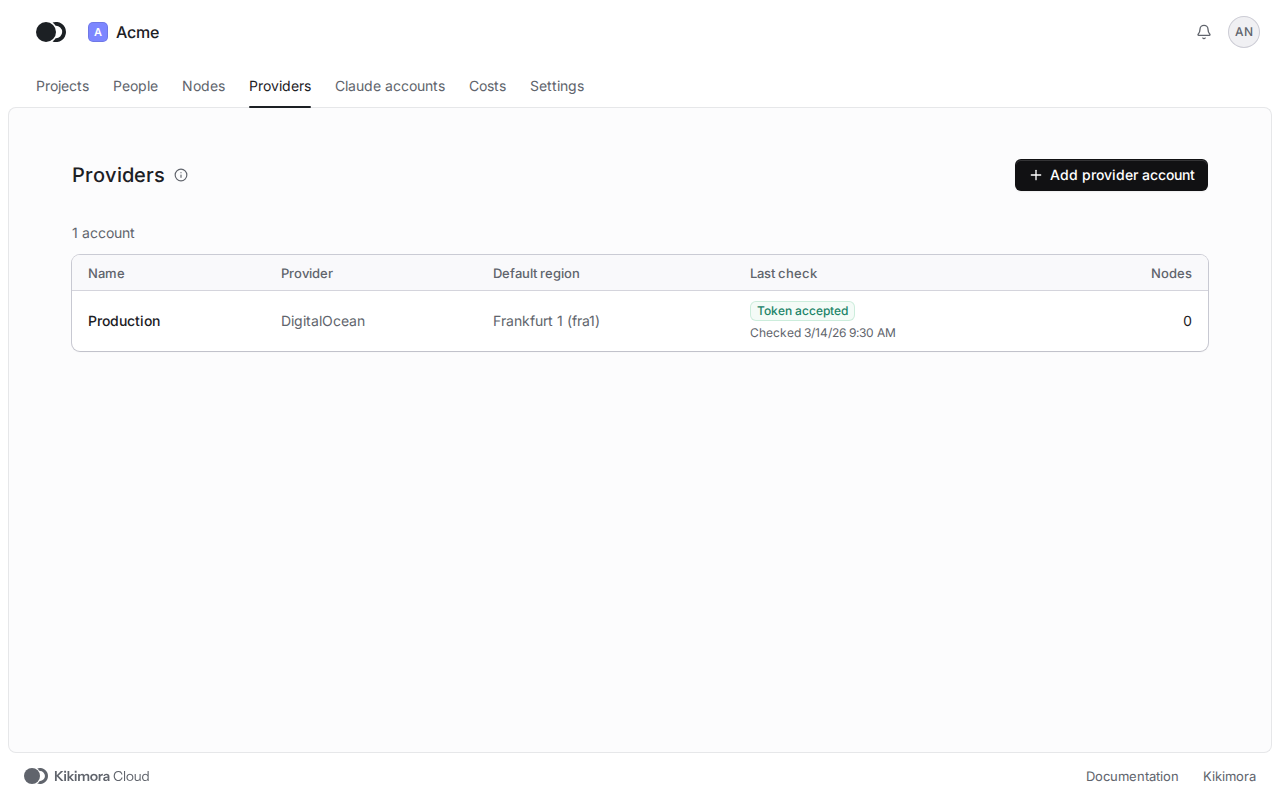
When the check reads Scopes missing or Token rejected, replace the token on the page of the account. You need an account only for nodes on DigitalOcean. A node on a host of your own needs none.
Matches the panel at cloud.kikimora.dev.